One telemetry stream.
Drawn three ways.
GhostGauge reads Forza's built-in Data Out over your network and draws it as live gauges, race timing and a free-roam HUD. Windows and Android, and the screen does not have to be the machine running the game.


The three dashboards
Cruise
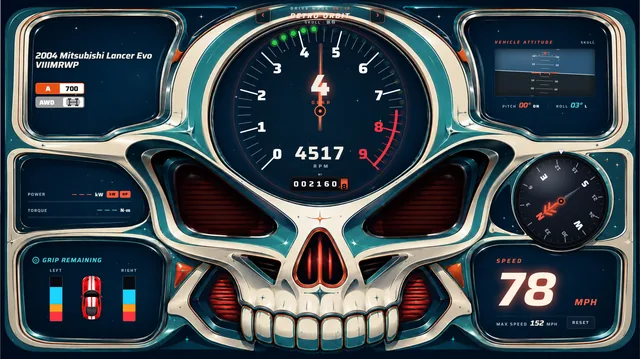
The drive cluster. A big tach, gear and speed, grip remaining, vehicle attitude and a compass — themed for the mood, from Pit Lane to the skull sets.
Racer
Session timing. A flip-clock lap timer, live position, your recent races and a large speedometer.
Tuner Under construction
The analyst. Handling balance, per-corner tire grip and temps, suspension travel, and a scrubbable 3D replay of the last lap with corner-phase diagnosis.
Xbox, and no PC
Your phone becomes the whole dashboard.
It reads Forza's Data Out straight off your network.
Phone or tablet.
Same network as your Xbox. Type the tablet's IP into Forza and drive.
Type in an IP. Start driving.
Turn on Data Out
In Forza: Settings → HUD & Gameplay → Telemetry → Data Out. Enter your device's IP and set the port to 29001.
Open GhostGauge
A “waiting for Forza” screen shows you exactly which IP and port to enter.
Drive
Nothing you drive is deleted. An unlinked machine shows its last 10; link it and every race reaches your account.
What is shipping
The Cruise and Racing dashboards ship now; the Tuner is under construction and there is no date on it yet. Signing in is what turns the uploads on.